

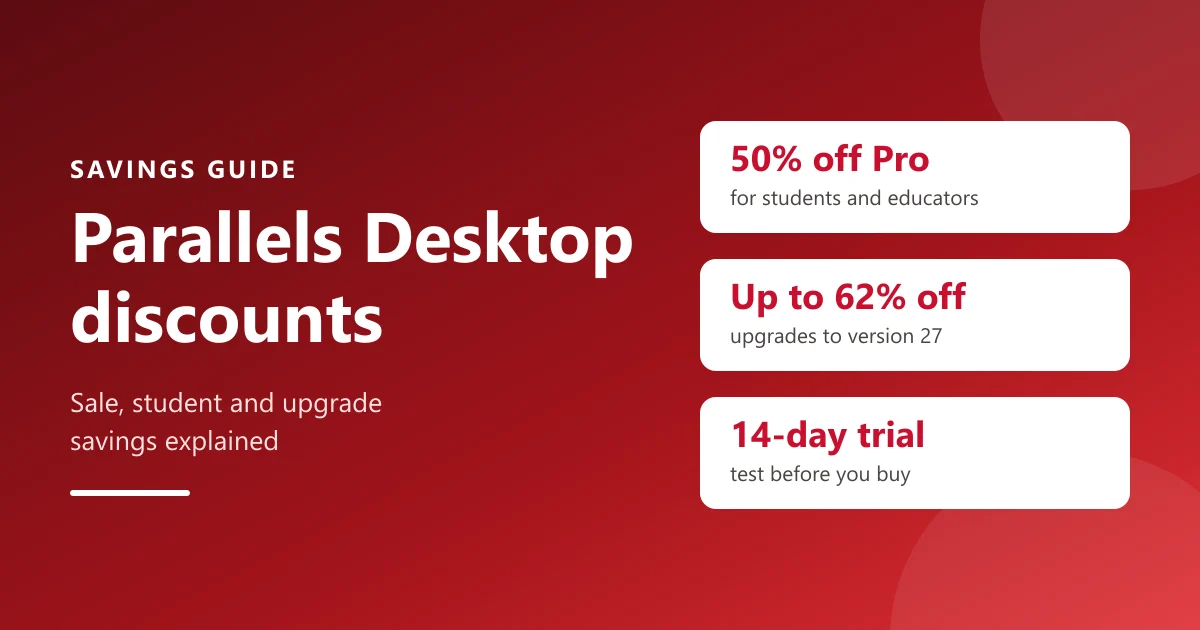
Parallels Desktop lets you run Windows, Linux and other systems on a Mac, next to your Mac apps and without restarting. It is paid software with no free edition, but there are several ways to pay less. This guide covers each one, plus how to choose the right edition, with every detail taken from Parallels' own site.
For today's offers, see our Parallels discounts page.
Parallels savings at a glance
| Saving | What you get |
|---|---|
| Seasonal sales | Applied automatically through the buy links; "Save up to 45%" for the Parallels Desktop 27 launch |
| Education | 50% off Pro Edition for students, educators and parents |
| Upgrades | Discounted upgrades for owners of older versions; up to 62% off in October 2026 |
| Free trial | 14 days to test your Windows apps |
| Money-back guarantee | 30 days on initial purchases from parallels.com |
How Parallels discounts are applied
Parallels' checkout, run by its reseller Cleverbridge, has no box for typing a promo code. Sale prices come with the Buy now links on Parallels' buy page, and the cart shows the regular price, the discount and a "You Save" amount before you pay.

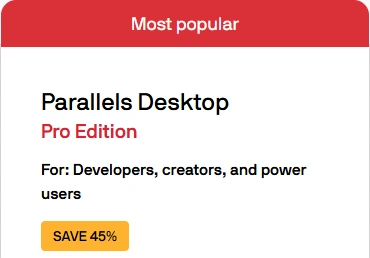
In October 2026 the store showed 45% off Standard and Pro Edition and 35% off Business Edition. Prices appear in your local currency with local tax, so the amounts vary by country, but the percentage is shown on each edition.
50% off for students, educators and parents
Parallels' education plan gives 50% off Parallels Desktop Pro Edition to:
- current and newly accepted students at accredited colleges and universities,
- teachers, professors and school staff,
- parents buying for a student.
Choose the Students option on the buy page and verify your academic status at checkout with your student or faculty ID; Parallels says verification takes under five minutes. The discount then applies automatically, with no coupon needed, and renews every year while you remain eligible. Parallels names Windows-only course software such as SOLIDWORKS, Revit, ArcGIS and Power BI as the typical reason.
Upgrading from an older version
- Subscribers move to the newest version, now Parallels Desktop 27, at no extra cost while the subscription is active.
- Perpetual license owners can buy a discounted upgrade instead of a full new license. In October 2026 Parallels' upgrade page showed up to 62% off: 62% off the Pro upgrade and 56% off the Standard one.
Moving from Standard to Pro
You do not have to start over to get more power: buy a Pro license and enter the new activation key in the app, and Pro's higher limits and developer tools unlock straight away. If you are not sure you need Pro, the 14-day trial is a Pro trial, so you can test your heaviest apps first.
Classrooms, labs and teams
Educators can request multiple seats or academic licenses through their Parallels Desktop dashboard. Schools and companies that manage many Macs can use Business or Enterprise Edition for volume licensing and central management, and Parallels sales handles institutional and 10+ license pricing.
Which edition to buy
| Edition | Best for | Limits per virtual machine | How it is sold |
|---|---|---|---|
| Standard | Home and everyday use | 8 GB vRAM, 4 vCPUs | Yearly subscription or one-time purchase |
| Pro | Developers, creators, power users | Up to 128 GB vRAM, 32 vCPUs (62 GB, 18 vCPUs on Apple silicon) | Yearly subscription |
| Business | Teams and small businesses | As Pro | Yearly subscription |
Standard is enough for Microsoft Office, browsers and most business apps. Pro adds a command line interface and developer tools and runs several virtual machines at once, for example Windows 11 and Ubuntu side by side. Business adds central license management, CI/CD automation and volume licensing; for 10 or more licenses, Parallels asks you to contact it about extra benefits and Enterprise options.
Subscription or one-time purchase?
A one-time perpetual license, available for Standard only, lets you keep using the version you bought indefinitely, but new versions are paid upgrades. A subscription includes every update and new version while it is active, unlimited support and, on eligible subscriptions, Parallels Toolbox, a set of 50+ small productivity tools. Subscriptions renew yearly and can be cancelled at any time, effective at the end of the current term.
Try before you buy
Parallels offers a 14-day free trial: enter your email address on its trial page to download it, then test the exact Windows apps and workloads you need. If you buy and change your mind, initial purchases made on parallels.com have a 30-day money-back guarantee; purchases from other retailers follow their own return policies.
What else you need
- A Windows license: not included. You need one to activate Windows; one you already own may work depending on its type.
- One license per Mac: each license covers a single Mac.
- A supported Mac: macOS Catalina (10.15) or later on Intel, or macOS Big Sur (11) or later on Apple silicon. Parallels runs natively on M1 to M5 Macs and is Microsoft's authorized solution for Windows 11 on Apple silicon.
Parallels questions, answered
Does Parallels have promo codes?
Its checkout has no code box. Sale discounts come with the buy links and show in the cart, and the education discount applies after verification.
Is there a free version of Parallels Desktop?
There is a 14-day free trial rather than a free edition.
Can I use Parallels on two Macs?
Each license covers one Mac, so a second Mac needs a second license.
Is Parallels Desktop legit?
Yes. It has been available since 2006 and is Microsoft's authorized solution for running Windows 11 on Apple silicon Macs.
Quick checklist
- Free trial used to test your Windows apps.
- Education discount checked if you are a student, educator or parent.
- Upgrade price checked if you own an older version.
- Edition matched to your workload: Standard for everyday use, Pro for demanding apps.
- Windows license planned for.
Looking at other software deals? See our Wondershare and NordVPN pages.
See today's Parallels discounts and deals.
Today's Parallels codes and deals
The top offers from our Parallels page, ranked the same way.

Upgrade to Parallels Desktop 27: Save Up to 62%
Owners of earlier versions can upgrade at a discount instead of buying a new license. Parallels' upgrade page showed 62% off the Pro upgrade and 56% off the Standard one.
Students, Educators and Parents: 50% Off Parallels Desktop Pro
Verify your academic status at checkout and the 50% applies with no coupon needed.
Parallels Desktop 27 Launch Sale: 45% Off Standard and Pro Edition
Parallels' buy page showed SAVE 45% on Standard (yearly subscription or one-time purchase) and on Pro (subscription). Select Buy now and the cart shows the price before discount and what you save. Savings can vary by country.
Parallels Desktop Business Edition: 35% Off
Everything in Pro plus central license management and deployment tools for teams, applied automatically at checkout.
Free 14-Day Parallels Desktop Pro Trial
Enter your email on Parallels' trial page to download it and test your own Windows apps for 14 days; the trial is Pro Edition.
Put these savings to work
Browse thousands of verified coupons and promo codes from hundreds of top stores.

SaversPrice Team
Coupon research and editing
We are the people behind SaversPrice. We find codes and deals for hundreds of stores and check them on the retailer’s own site wherever we can, and the ones confirmed there carry a green Verified badge, so you can see at a glance which codes we checked. Offers come down once they expire or their sale ends, and when 6,000 stale coupons failed our check, we deleted them.
Found a code that doesn't work? Tell us and it comes down.


